
Why Your PC is Suddenly Slowing Down (And It’s Not a Virus
We’ve all been there: you’re in the middle of a gaming session, rendering a video, or just trying to clear out thirty open browser tabs, and your computer suddenly drops into slow motion. The mouse lags, the apps freeze, and the cooling fans sound like a jet engine preparing for takeoff.
Your first thought might be, “Great, I’ve got a virus.”
But as computer repair specialists, we are seeing a massive surge in a completely different culprit. Computers aren’t slowing down because of malware; they are slowing down because they are literally suffocation-throttling.
Here is a look at what thermal throttling is, why today’s software is making it worse, and how to fix it before it ruins your components.
What is Thermal Throttling? (The Survival Mode)
Think of your computer's brain—the CPU (Central Processing Unit) and the GPU (Graphics Card)—like an elite athlete. When they work hard, they generate an immense amount of heat.
To prevent itself from literally melting, your computer has a built-in safety defense mechanism called thermal throttling.
Thermal Throttling (noun): A protective process where a computer automatically slows down its processor speed to reduce heat output when temperatures get too high.
If your cooling system can’t draw the heat away fast enough, your PC deliberately cuts its own performance by 20%, 30%, or even 50% just to survive. You experience this survival mode as severe lag, stuttering, or sudden crashes.
Why is This Happening More Frequently Now?
PCs are facing a perfect storm of heavy workloads and hidden maintenance issues.
1. Software is Demanding More Heavy Lifting
Modern apps are heavier than ever. Between high-refresh-rate gaming, background communication apps like Discord, and the new wave of local AI features processing data directly on your device, your hardware is working harder on a standard Tuesday afternoon than it used to five years ago.
2. The 2-Year Thermal Paste Expiration
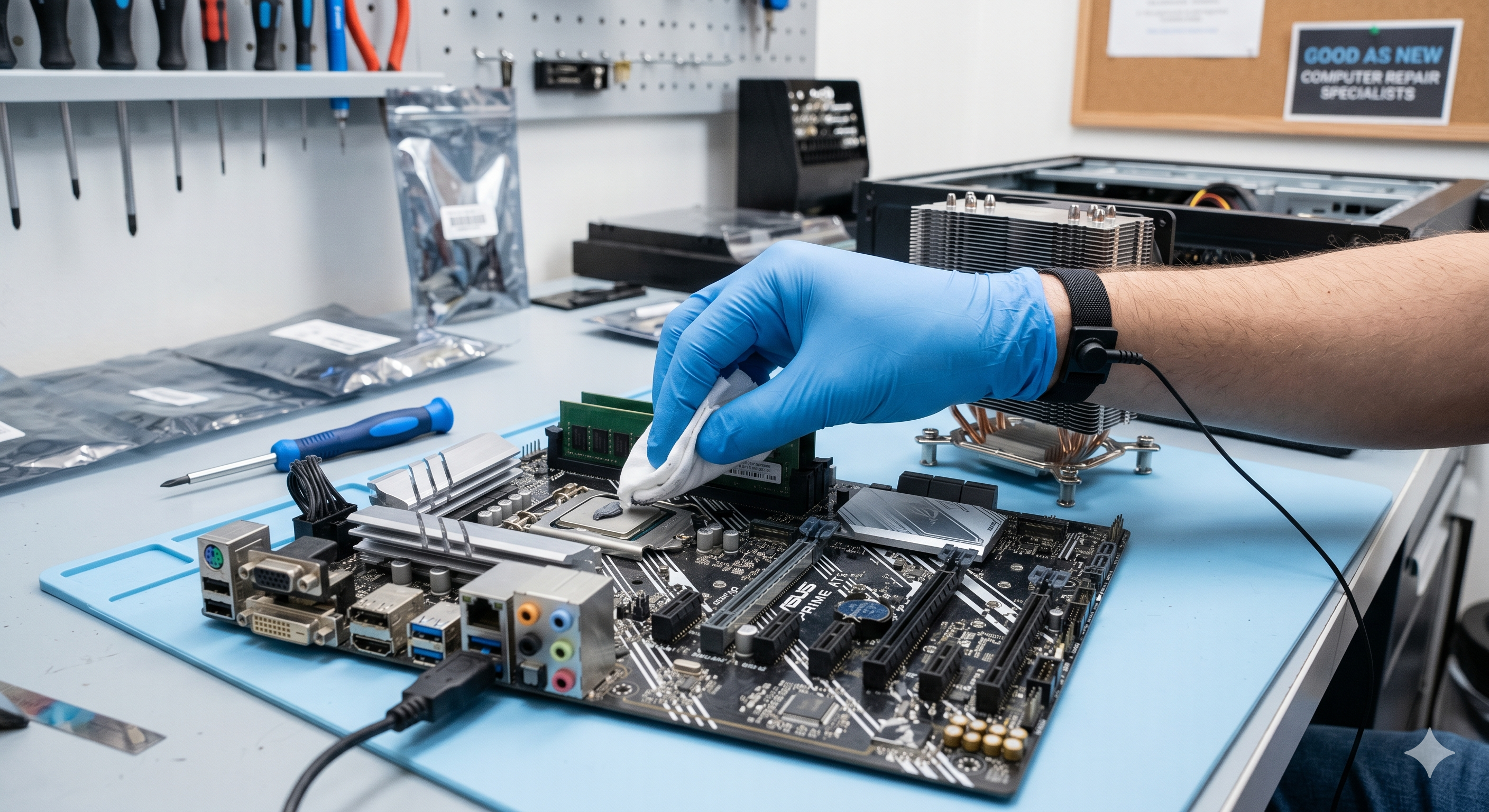
Beneath your computer's cooling fan sits a microscopic layer of liquid substance called thermal paste. Its job is to transfer heat away from the processor. Over a period of 2 to 3 years, this paste dries out, turns to dust, and completely stops conducting heat.
3. The Silent Blanket (Dust)
Computers act like small vacuum cleaners, constantly pulling air inside. Over time, dust builds a thick "blanket" over your components and inside the cooling fins, trapping the heat inside.[High Dust / Dried Paste] ➔ [Heat Trapped on Processor] ➔ [Temperature Hits ~90°C+] ➔ [PC Forces Slowdown to Protect Itself]
The Warnings Signs Your PC is Cooking
You don't need special software to know if your computer is struggling with heat. Keep an eye out for these classic warning signs:
- The Jet Engine Effect: Your fans spin at maximum speed immediately after opening a couple of basic apps or games, and they stay loud.
- Sudden FPS Drops: Your game runs beautifully for the first 15 minutes, but then suddenly drops frames or hitches.
- The "Warm Desk" Test: The area of your desk around your PC or laptop case feels unusually hot to the touch.
- Unexplained Blue Screens: The computer entirely shuts down or gives you a blue screen without warning when you load up a heavy application.
How to Give Your PC Fresh Air
If your computer is throttling, ignoring it can permanently shorten the lifespan of your expensive parts. Here is how to handle it:
- Elevate and Ventilate: If you are on a laptop, never use it on a bed or carpet where the bottom vents are blocked. If you have a desktop tower, get it off the floor—carpets act like giant dust magnets.
- Check Your Background Apps: Open your Task Manager (Ctrl + Shift + Esc) and see what's eating your CPU. Close down hidden background programs you aren't actively using.
- Get a Professional Deep Clean: Giving the inside a blast of compressed air helps, but if your thermal paste is bone-dry, blowing dust out won't solve the core issue.
Let Us Make It "Good As New"
If your computer hasn't been cleaned out or re-pasted in the last couple of years, it’s likely leaving a ton of performance on the table.
At Good As New Computer Repair Specialists, we don't just blast out the dust. We completely disassemble the cooling array, clean off the old factory paste, apply premium high-performance thermal compound, and optimize your internal airflow to make sure your machine runs fast, quiet, and cool.
Drop us a message or bring your rig by the shop—let’s get it running properly again!