
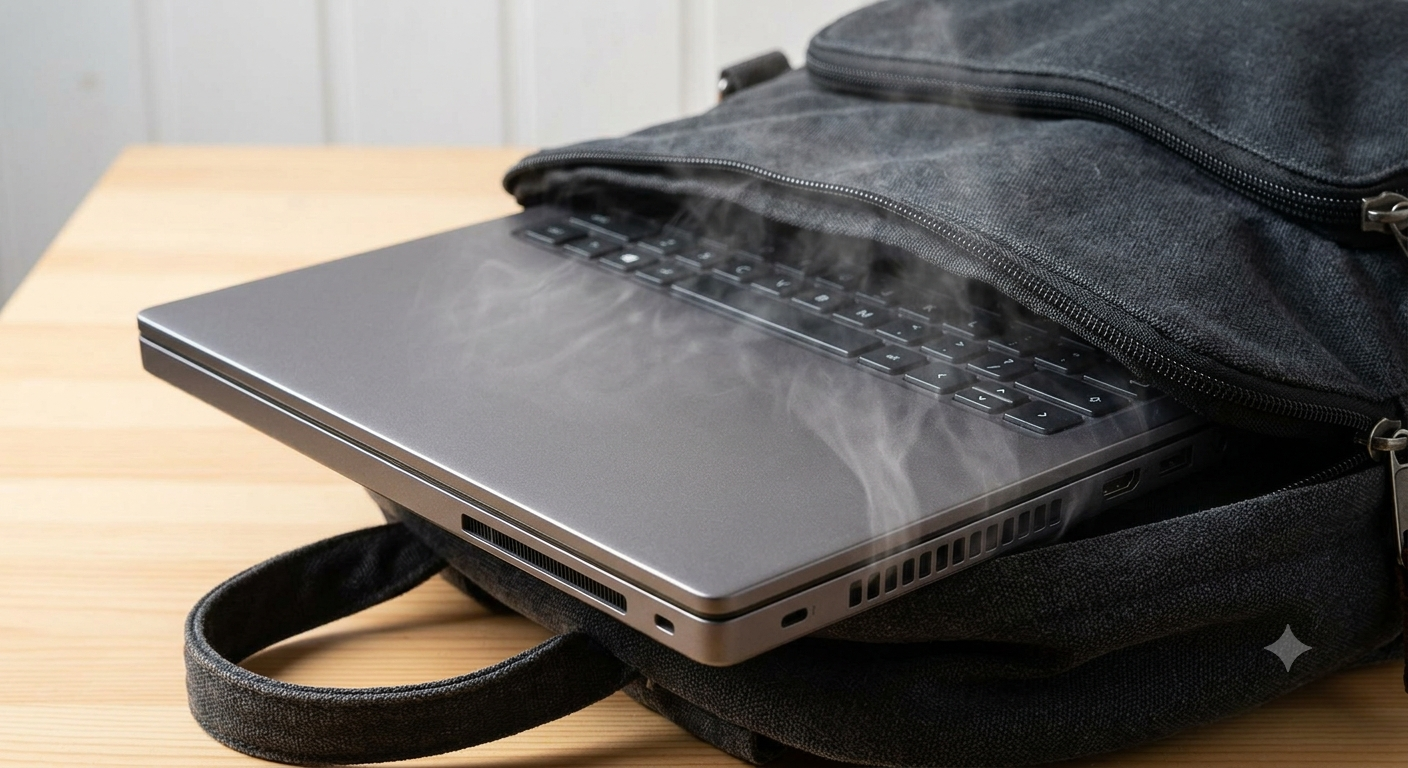
The Hidden Fire Hazard in Your Rucksack: Why You Must FULLY Shut Down Your Laptop
If you use a MacBook or Windows laptop for work, school, or travel, you’ve probably done this a thousand times: you finish what you’re doing, slam the lid shut, slide it into your bag, and head out the door.
At Good as New Computer Repair Specialists, we see the dangerous consequences of this every single week.
Most people think closing the lid turns their computer off. It doesn't. Modern laptops stay awake in the background—and when left running inside a sealed rucksack, they can overheat to the point where the battery swells, catches fire, or explodes.
The Reality: Your Laptop Is Still Running in Your Bag
In the past, closing the lid forced your computer into a deep sleep state. Today, both Windows laptops and Apple MacBooks are designed to run like smartphones. They stay connected to Wi-Fi, run background updates, download emails, and sync files—even with the lid closed.
When your laptop is running normally on a desk, fans pull in cool air and vent heat outward. But inside a tight, padded rucksack:
- Zero Ventilation: The laptop fans blow hot air directly into dense fabric, circulating trapped heat straight back into the computer.
- Exponential Temperature Rise: Because the laptop is still running, it gets hotter and hotter every minute it sits in your bag.
- Thermal Lockup ("Zombie Mode"): Extreme heat causes internal microchips to freeze. The laptop locks up completely—often stuck on a frozen screen or inside the BIOS—and refuses to shut down or turn off, keeping the fans and processor running at max capacity.
The Extreme Danger: Swollen and Exploding Batteries
Modern laptops use high-density Lithium-Ion batteries. These batteries are extremely sensitive to heat.
When a running laptop bakes inside a backpack, the extreme temperatures break down the chemical structure inside the battery cells. This causes gas to build up inside the battery casing, leading to severe battery swelling.
In the absolute worst-case scenario, severe overheating causes a dangerous chemical reaction known as thermal runaway.
The Risk: An overheating battery inside a bag can rupture, catch fire, or violently explode. This won't just destroy your expensive laptop—it will burn through your rucksack, ruin your clothes, books, and documents, and poses a massive fire hazard to your car, home, or office.
The Golden Rule: Always Perform a Full Shutdown
Saving ten seconds by closing the lid isn't worth losing your laptop, your data, or your bag to a battery fire. You must completely shut down your Mac or laptop before putting it away.
For Apple MacBook Users:
- Click the Apple Menu () in the top-left corner.
- Select Shut Down…
- Wait until the screen, power lights, and keyboard backlight are completely dark before closing the lid and bagging it.
For Windows Laptop Users:
- Click the Start Menu.
- Click the Power button icon and select Shut Down.
- Wait until the fan noise stops and all indicator lights go off completely. (Note: Do not rely on just tapping the power button—always use the Start Menu to ensure a full system shutdown).
What to Do If Your Laptop Came Out of Your Bag Boiling Hot
If you pull your laptop out of your rucksack and it feels burning hot, do not attempt to open the casing yourself. Modern batteries are fragile and tightly packed; puncturing a hot, swollen battery with a tool can instantly spark a dangerous chemical blaze.
If your laptop is frozen, stuck on a startup screen, or the casing looks warped or pushed up near the trackpad:
Bring it straight to Good as New Computer Repair Specialists.
Our technicians can safely open the chassis, perform an internal power drain to clear locked-up hardware errors, test your motherboard for thermal damage, and safely replace damaged or swollen batteries before they become a hazard