
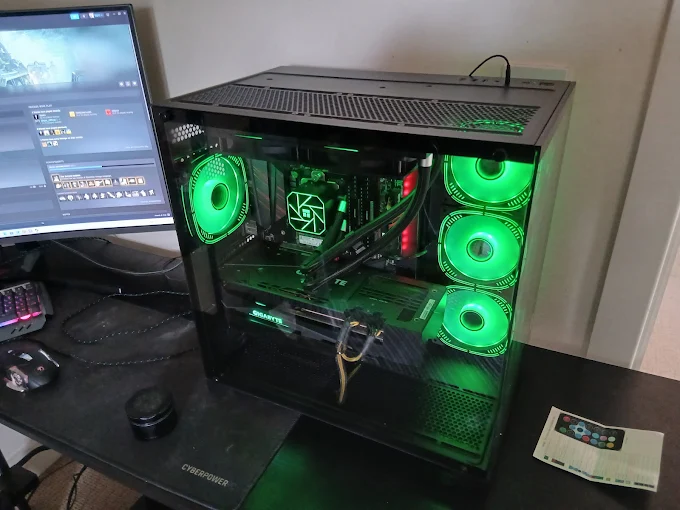
Level Up: How to Keep Your Gaming Rig in Peak Performance
So, you’ve invested in the ultimate gaming setup. The RGB is glowing, the glass side panel is sparkling, and you’re ready to dive into the latest AAA title. But is your hardware actually talking to each other, or are they just roommates who don’t get along?
At Good As New Computer Repair Specialists, we see high-end builds every day that underperform simply because they aren't "in sync." To get that buttery-smooth frame rate and rock-solid stability, your components need more than just power—they need the right environment.
Here is your checklist for the "Perfect Rig" harmony.
1. The Foundation: BIOS & Chipset
Think of the BIOS (Basic Input/Output System) as the nervous system of your motherboard. If your BIOS is outdated, your motherboard might not know how to efficiently manage a modern CPU or high-speed RAM.
- Why it matters: Updates often include "Agesa" improvements (for AMD) or stability patches (for Intel) that allow your components to communicate faster.
- The Sync Factor: A fresh BIOS ensures your XMP or DOCP profiles (RAM overclocking) actually work, keeping your memory speeds in sync with your processor’s needs.
2. The Muscle: GPU Drivers and Support
Your graphics card is the heart of your gaming experience, but it’s also the most demanding part of your build.
- Driver Precision: "Up to date" isn't just a suggestion. New game releases often require specific driver optimizations to prevent crashing. We ensure your drivers are clean-installed—removing old, "ghost" files that can cause stuttering.
- The Physical Strain: Modern GPUs are massive. If you have a heavy 30-series or 40-series card, GPU Sag is a real threat. Over time, the weight can warp the PCIe slot or crack the card's PCB.
- The Solution: We recommend and install specialized support brackets or "pillars" to ensure your card stays perfectly level and the connection stays secure.
3. The Harmony: Driver Synchronization
It’s not just about the GPU. Your audio drivers, LAN/Wi-Fi drivers, and chipset drivers all play a role. When these are mismatched, you get "DPC Latency"—those tiny, annoying micro-stutters that happen even if your FPS looks high.
Pro Tip: Avoid "All-in-One" driver update software. These often install generic versions that can cause more harm than good. We hand-select the manufacturer-specific drivers for your exact hardware revision.
4. Thermal Synergy
All those components working hard create heat. If your case fans aren't synced to your CPU and GPU temperatures, you’re leaving performance on the table.
- Positive Pressure: We optimize your fan curves so your intake and exhaust work together, keeping dust out and cool air flowing exactly where the sensors need it most.
Is Your Rig "Good As New?"
Building a PC is one thing; optimizing it is another. If you feel like your games should be running smoother, or if you're worried about that heavy graphics card leaning a bit too far, bring it into Good As New Computer Repair Specialists.
We’ll perform a full system "Handshake Check" to ensure your BIOS, Drivers, and Hardware are all pulling in the same direction.
Ready to dominate? Let’s get your rig synced up.