
☕️ Oops! The "Coffee Crisis": What to Do When You Spill Liquid on Your Laptop or Apple Macbook .
We’ve all been there. One minute you’re breezing through your to-do list with a latte in hand, and the next, a slow-motion nightmare unfolds as your drink heads straight for your keyboard.
At Good As New Computer Repair Specialists, we see liquid damage every single day. Whether it’s water, wine, or a sugary soda, the minutes following a spill are the most critical for your device’s survival.
Here is your emergency "Save My Laptop" cheat sheet.
1. Kill the Power (Instantly!)
The liquid itself isn’t usually what kills a laptop—it’s the short circuit that happens when electricity hits that liquid.
- Unplug the power cable from the wall and the device immediately.
- If the laptop is on, force a shut down by holding the power button for 5–10 seconds. Do not worry about saving your work; saving your hardware is the priority right now.
2. The "Upside Down" Rescue
You want to stop the liquid from seeping deeper into the motherboard.
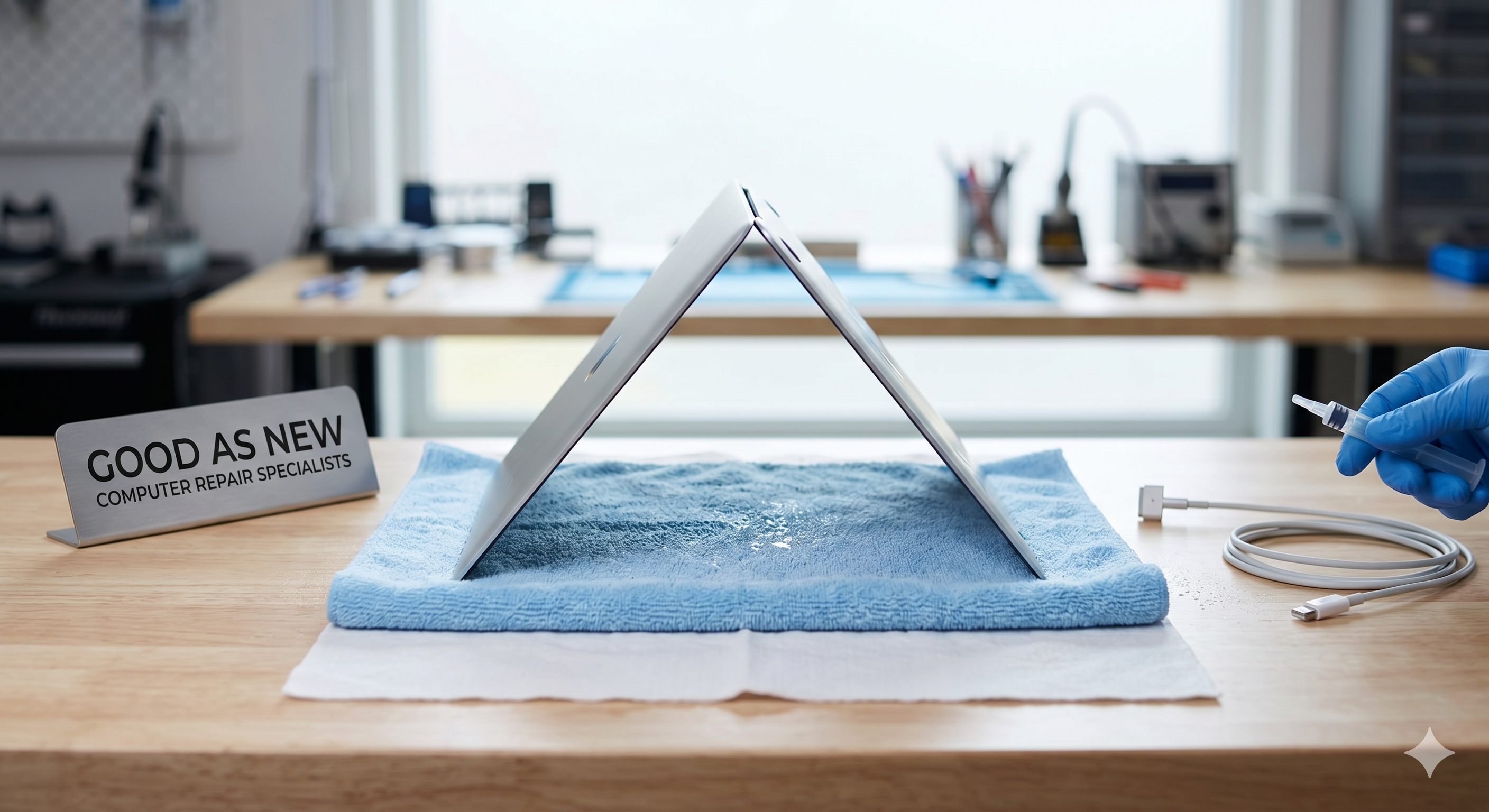
- Grab a clean, absorbent cloth (microfiber is best, but a tea towel works in a pinch).
- Place the cloth over the keyboard.
- Open the laptop and flip it over so the keyboard is resting face-down on the cloth.
By laying the device upside down, you allow gravity to pull the liquid back out toward the cloth, preventing it from reaching the delicate screen assembly or the core internal components.
3. Resistance is Key: Do NOT Turn It On
This is the most common mistake we see. Your laptop might look dry on the outside after an hour, but moisture can hide under chips and inside ports for days.
- Avoid the "test" power-up. Turning it on to "see if it still works" is often the final blow that fries the circuitry.
- Forget the rice. Contrary to popular belief, rice doesn’t do much for internal moisture and often introduces dust and starch into your ports.
Why Professional Cleaning Matters
Even if the liquid dries, residue (especially from sugar or milk) stays behind. This causes corrosion over time, meaning your laptop might work today but fail completely in a month.
Pro Tip: If you’ve spilled something on your Mac or PC, keep it powered off and upside down, then bring it to us as soon as possible. Our specialists use ultrasonic cleaning and professional-grade drying techniques to stop corrosion in its tracks.
Don't panic—just act fast!
Visit us at Good As New Computer Repair Specialists and let’s get that device back to its former glory.